Block repeat purchases from guest customers on Shopify
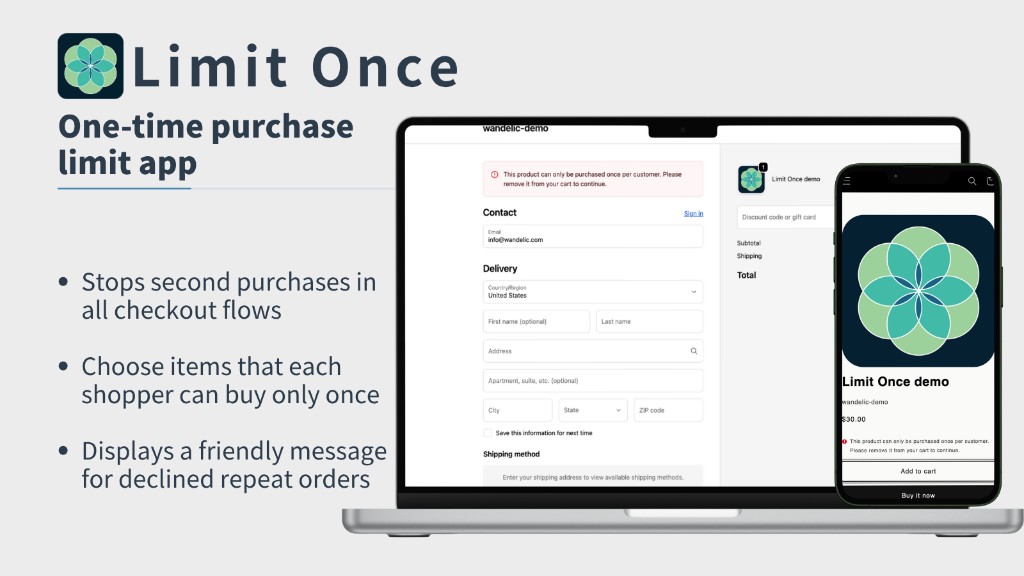
Limit Once helps you restrict selected products to one purchase per customer. It checks repeat purchase attempts at checkout, including guest checkout, so shoppers do not need to create an account for the rule to work.
- Limit selected products to one purchase per customer
- Works with guest checkout
- No theme code changes required
Watch the demo
The problem: per-order limits are not enough
Many Shopify stores need more than a cart quantity limit. A cart or per-order rule can stop a shopper from buying multiple units in the same checkout, but it usually does not stop the same shopper from coming back later and placing another order.
Free sample campaigns, first-purchase offers, and limited product drops need a different rule: one purchase per customer across previous orders, including guest checkout.
The solution: block repeat purchases at checkout
Limit Once lets you apply a one-purchase-per-customer rule to selected products. When a shopper tries to buy a limited product again, the app checks for prior purchases before the order is completed and blocks matching repeat attempts with a clear message.
Setup is handled inside Shopify. Select the products you want to limit, enable the rule, and the restriction is applied at checkout without theme code changes.
Key use cases
- Free sample campaigns — Limit each customer to one sample and reduce repeat sample orders.
- First-purchase offers — Keep new-customer products from being bought repeatedly.
- Limited product drops — Help keep scarce inventory fair across customers.
- Repeat-purchase abuse prevention — Reduce repeat orders that undermine campaign rules.
How it works
- Install Limit Once from the Shopify App Store
- Select the products that should be limited
- Enable the one-purchase-per-customer rule
- Customize the message shown when a repeat purchase is blocked
- Limit Once checks repeat attempts during checkout
Limit Once is designed to work for both logged-in customers and guest checkout. It uses customer information submitted during checkout and compares it with previous orders for the selected products.
What Limit Once can and cannot prevent
Limit Once helps reduce repeat purchases of selected products by checking previous orders at checkout. It is useful when you need practical purchase control for samples, first-purchase offers, or limited drops.
However, no checkout rule can stop every intentional workaround. If a shopper uses completely different checkout information, another order may still be possible. Limit Once is designed to reduce repeat-purchase abuse, not to guarantee that every possible attempt is impossible.
Have questions before installing?
Read the FAQ to learn how Limit Once works with guest checkout, how repeat purchase attempts are checked, and what the app can and cannot prevent.
Related resources
Ready to limit repeat purchases on Shopify?
Install Limit Once to apply one-purchase-per-customer rules to selected products, including guest checkout.